You are using an unsupported browser. Please update your browser to the latest version on or before July 31, 2020.
close
You are viewing the article in preview mode. It is not live at the moment.
Home > General Resources > Frequently Asked Questions > Insights/Alerts-How do you address and Insight/Alert when one triggers?
Insights/Alerts-How do you address and Insight/Alert when one triggers?
print icon
 Below is the recommended procedures for addressing Alerts & Insights


The process for using INSIGHTS/ALERTS is as follows:

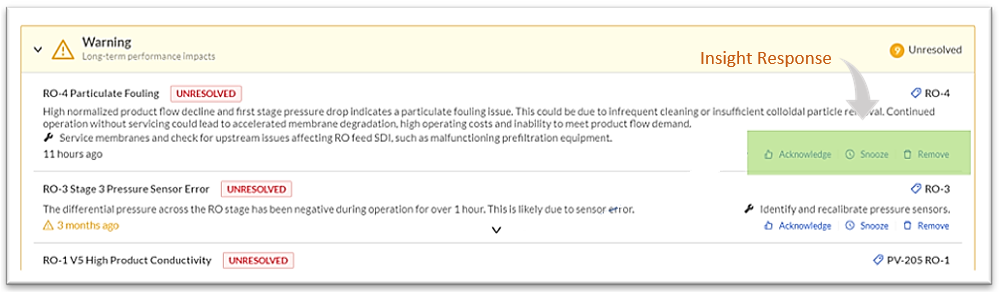
Step 1: Once an Insight/Alert has triggered, review information and recommended action.
Step 2: Determine course of action on the Insight/Alert.
Step 3: Perform one of the following actions:

  • Acknowledge the Insight/Alert by clicking on the Acknowledge button and answer the questions as to how the issue was resolved.
  • Snooze the Insight/Alert by clicking on the Snooze button indicating that you are monitoring the situation or consulting with another user or manager for resolution.
  • Remove the Insight/Alert by clicking on the Remove button which indicates the Insight/Alert has been addressed.


IMPORTANT! Remember, it is important that the Insight/Alert be acknowledged by the first person that receives it.


Was this useful?
0 out of 0 found this helpful

scroll to top icon