
.png)
.png)


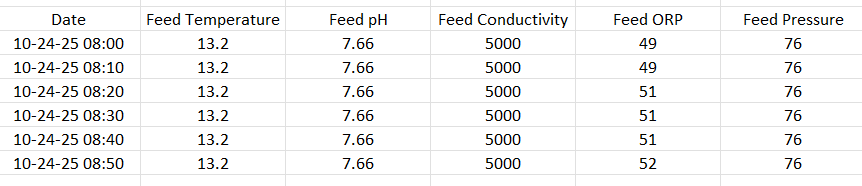
Pani's e-mail ingress is a simple way to get data into the Pani platform. The ingress supports the CSV file format with the first column being the date/time stamp and subsequent column headers being Tag IDs/sensor names, with corresponding values below, as shown here:
Prior to setting up the ingress it is recommended to do a CSV UPLOAD with your data file to ensure compatibility between the Pani form and the CSV file. If this works successfully, the ingress should work once configured. Setting up the ingress is as follows:
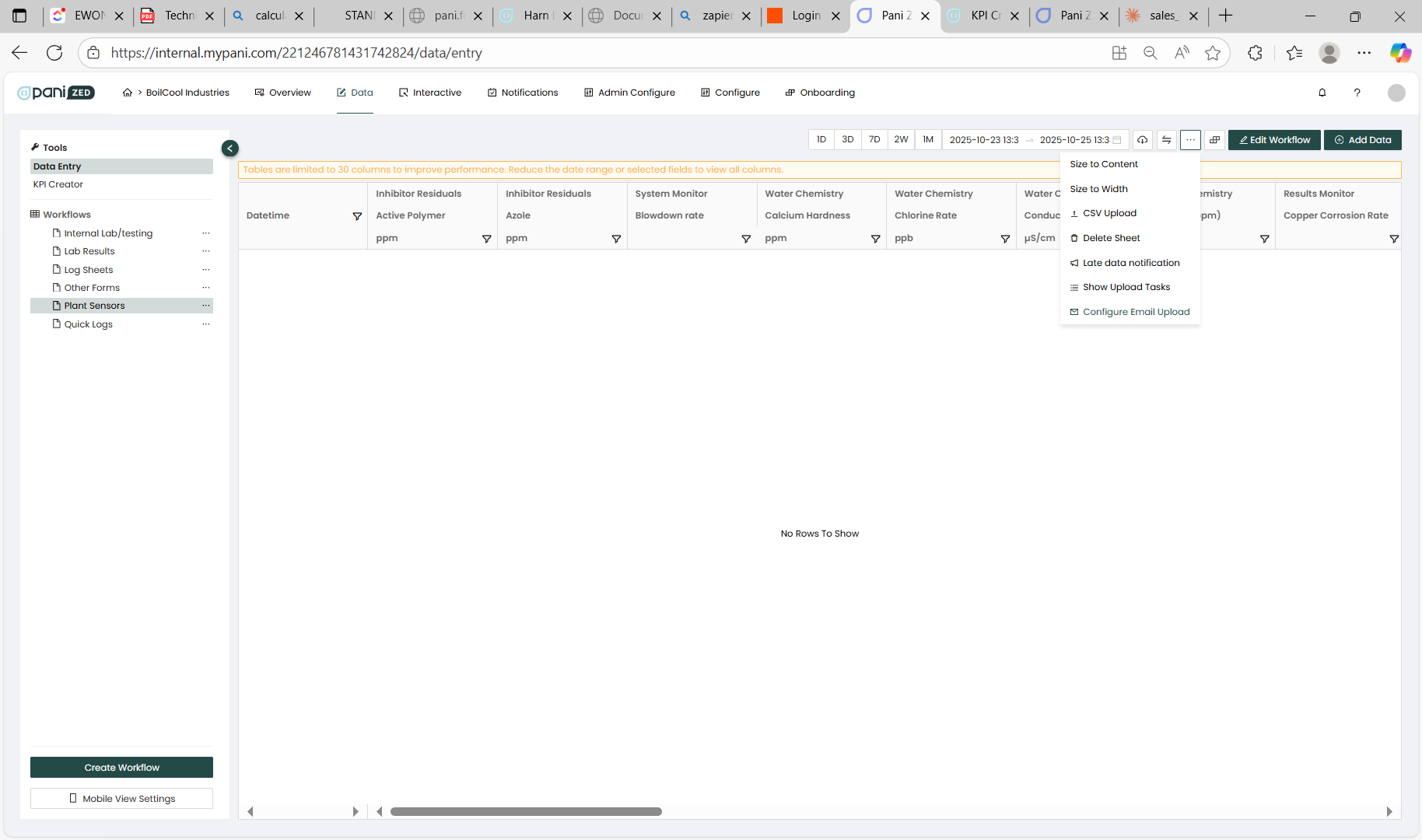
- Using the data page, select the form that contains the sensor list that you wish to upload data to and select the Configure Email Ingress from th drop down menu. It is often useful/preferred to have a dedicated form for ingress that aligns with the format of the CSV file.
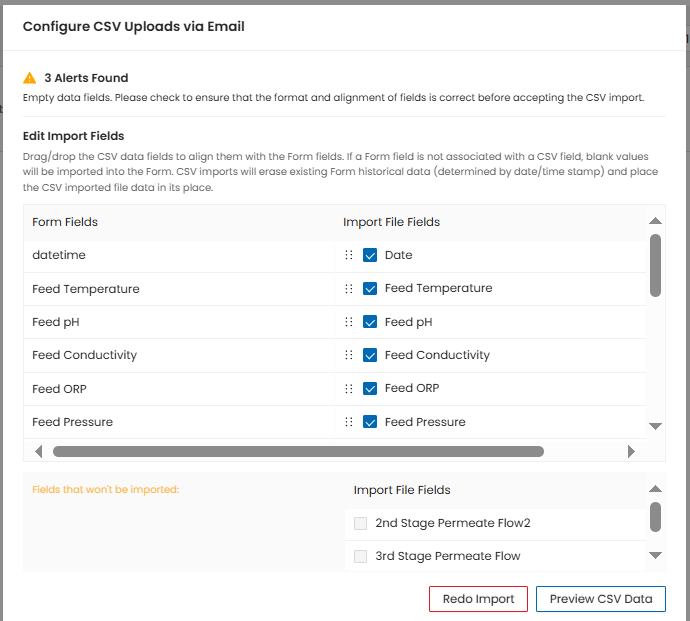
- Select the CSV file with the data.
- Make sure the data aligns with the form:
- Configure the Sender address, The subject line (format is described below) and the email address that can receive notifications for ingress errors. DO NOT SET THE FILENAME, leave this field blank.
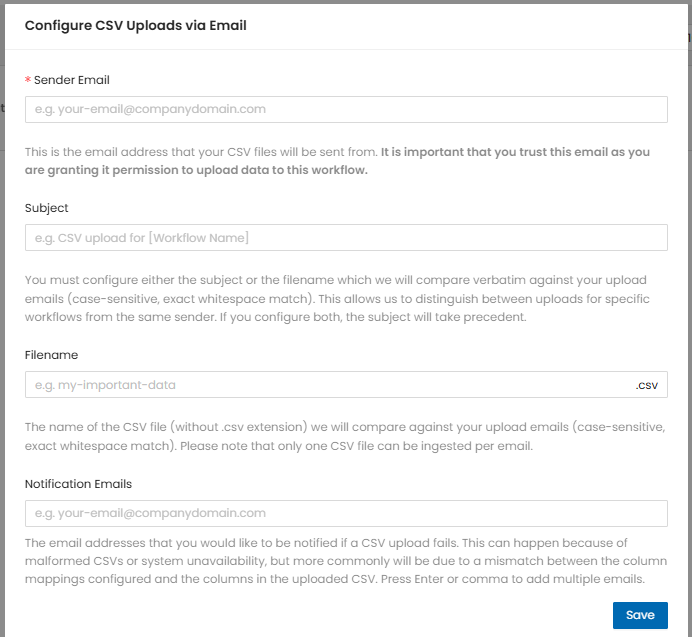
Once saved, the ingest will be activated for this form.
If you need help in setting up the ingress, please do the following:
- Advise Pani via an email to [email protected] that you wish to configure the email ingress. Include a sample CSV file and the email address of the SENDER email (the email that will send us the file). This is needed to activate the ingress.
- Also advise Pani of who should be notified in case of an email ingress error. This might be someone in the operations team or an IT person that is familiar with the creation of the CSV file.
- When naming the CSV file, it is often useful to include the date and time that the email was created, along with the plant name. For the SUBJECT line of the email, please use:
- Email ingress- {Plant name} - {Pani 4-digit ID}
- example: Email ingress- My Water Plant - 9456
iMPORTANT NOTE
Once the email ingress is configured and working, THE FORMAT OF THE CSV FILE AND THE EMAIL MUST NOT CHANGE.
- Do not add any new columns/fields/sensors
- Do not change the subject line or the email sender's address.
If anything needs to be changed in the CSV file, i.e. adding new sensors, changing data formats, etc. please email [email protected]. We need to modify in input form on our side to support this. E-mail the “proposed” changes to us as a support ticket, and we will advise when to switch over.

