
.png)
.png)


This document focuses on one of Pani’s Data Egress options, MQTT using Ignition. Files indicated here are provided by Pani. The following steps aren provided below:
MQTT Executable and Credentials
1. Create a new directory called: C\Pani
2. Copy the contents of Executable and Credentials into the new directory.
- mqtt.exe is the program that performs the MQTT communication.
- pani.conf is a configuration file for mqtt.exe.
- The .pem, .key, and .crt files are credentials required for connecting to Pani’s cloud.
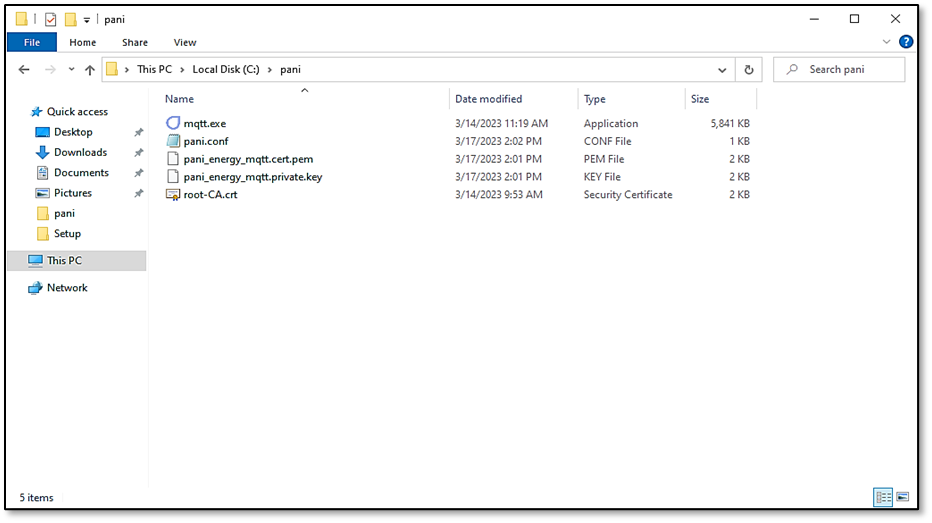
Fig. 1 Executable and Credentials
Ignition Module
1. Copy the contents of Ignition Module.
2. Paste into C:\Program Files\Inductive Automation\Ignition\user-lib\pylib\site-packages.
- This installs the module in Ignition and will now be part of the gateway backup.
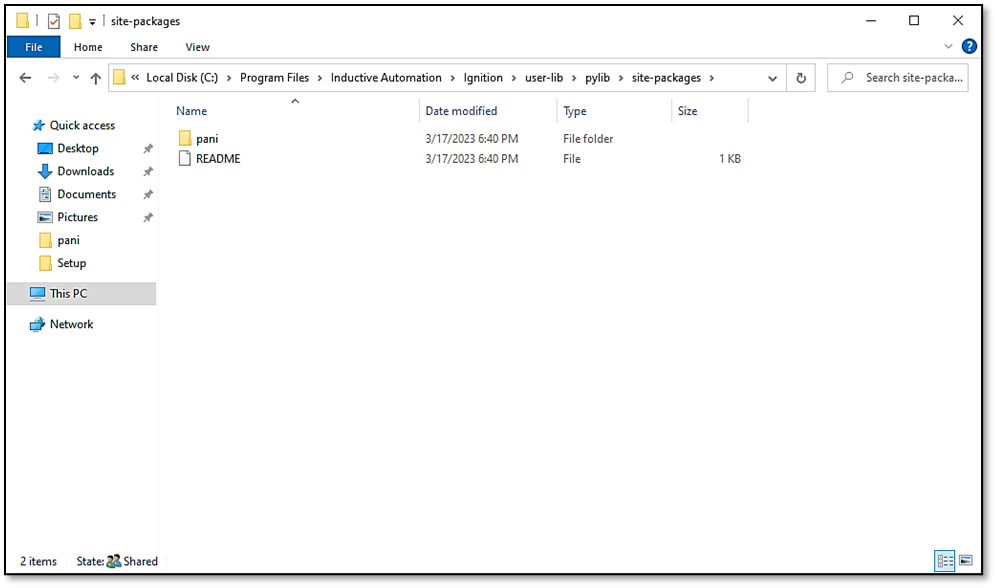
Fig. 2 Ignition Module
Ignition Scripting
1. Create a Scheduled Gateway Event Script.
- The name does not matter but something descriptive like “Pani Data Egress” is preferable.
2. Ensure the timing is set to trigger every minute as shown below.
3. Copy the contents of Pani_Data_Egress.txt into the Script tab of the new script.
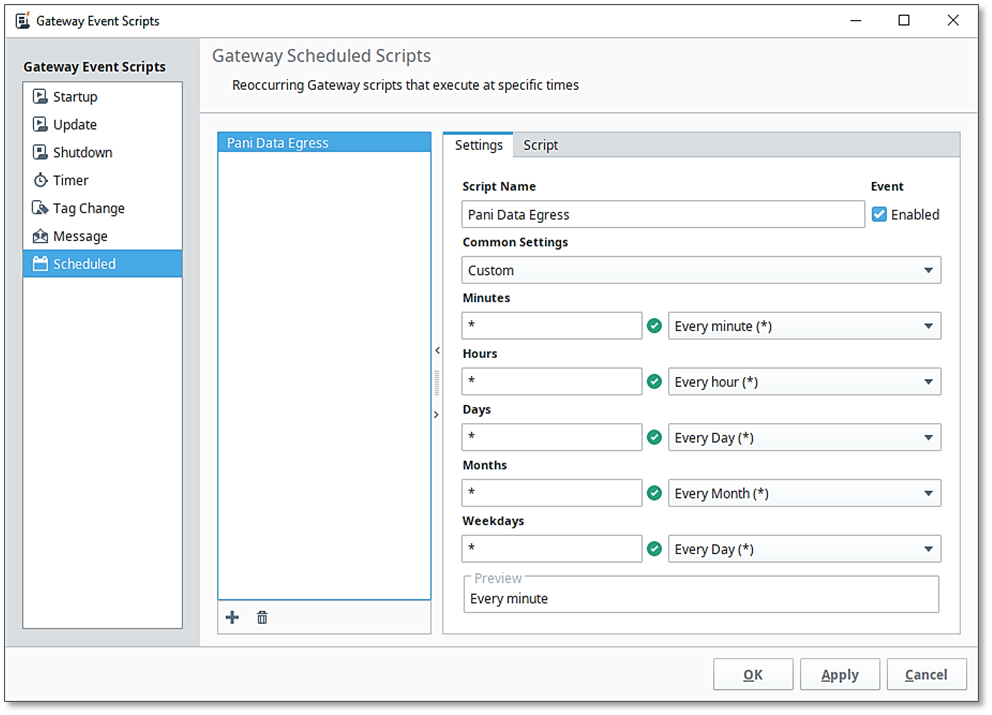
Fig. 3 Ignition Scripting
Ignition Gateway Backup
1. Perform a gateway backup to ensure the changes do not get lost in case of gateway failure.
- This is done via the web portal at localhost:8088.
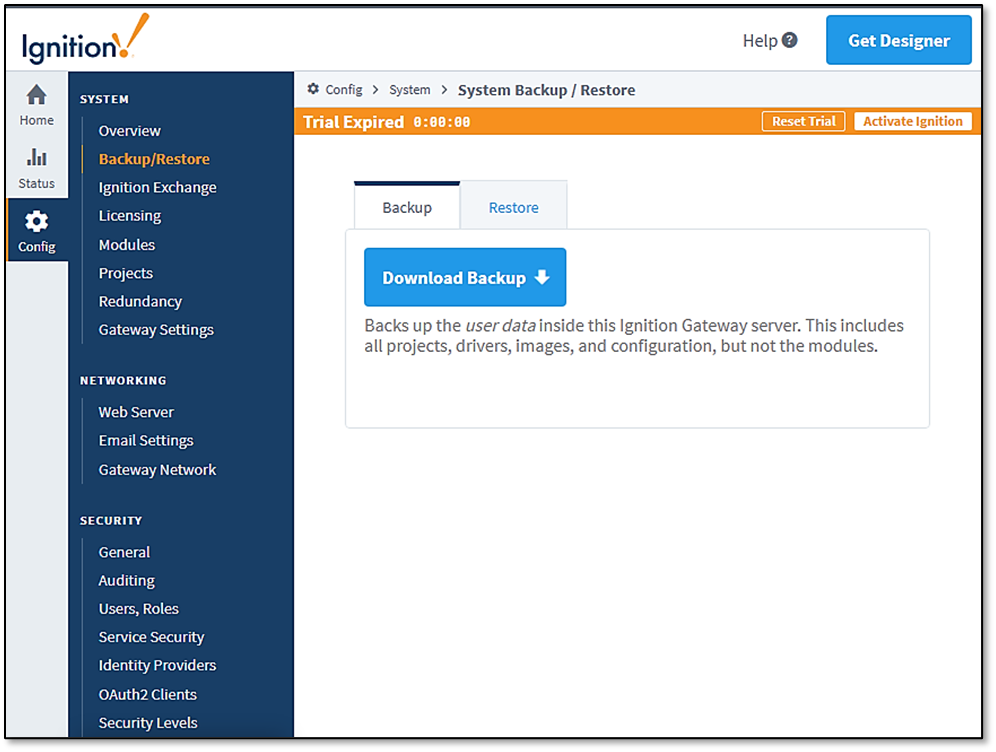
Fig. 4 Ignition Gateway Backup


