.png)
.png)


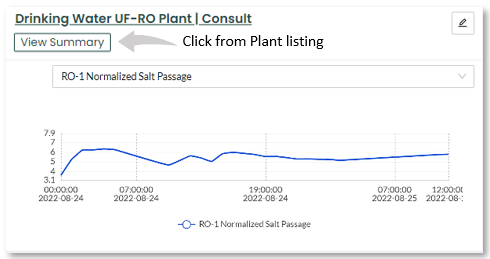
This feature (currently in BETA) provides a quick snapshot displaying a summary of your plant's performance. Allowing you to see what's happening in your plant right now, and what might require your immediate attention. You can access the "View Summary" feature in one of two ways:
1. By clicking on the "View Summary" button from any of the available plants that display this feature. It will launch a pop-up Plant Summary window.
2. Or from within the plant's platform. It will display the "View Summary" by default on the Overview page when launched.
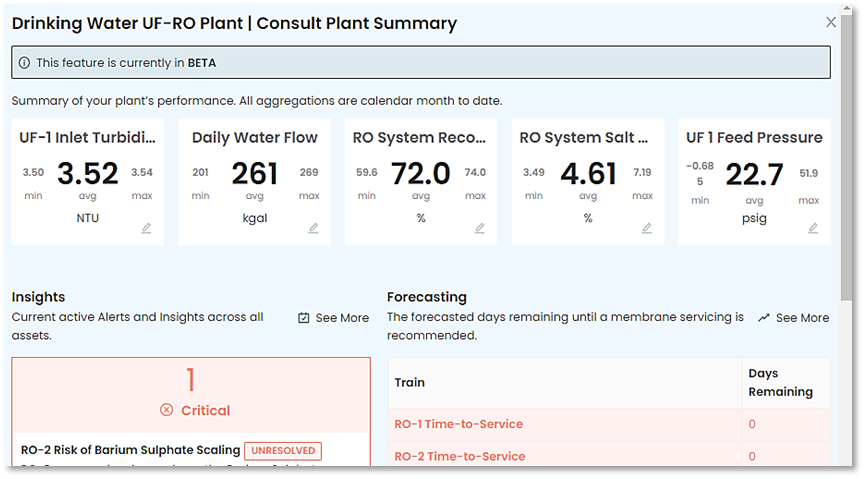
The Plant Summary Window
The Plant Summary window displays to the user, a wealth of information at a glance, with some customization features. Providing up to date data on your plant's performance.
The blocks along the top allow you to add up to five KPIs to your view.
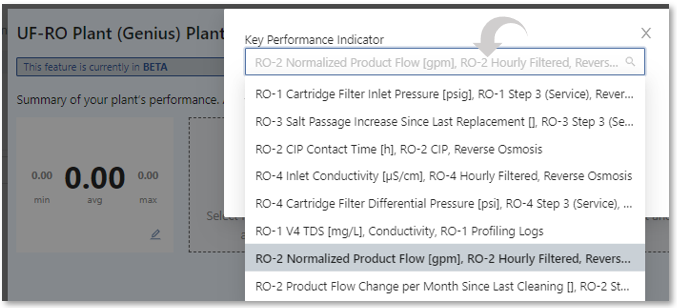
Just "Click to Add KPI", and select from a list of your KPIs, give the block a "Title" and "Save" it.
This will result in the selected block displaying the minimum, average, and maximum values month to date for the selected KPI.
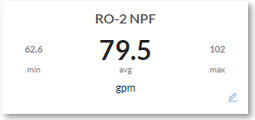
Repeat the above process to add additional KPI entries.
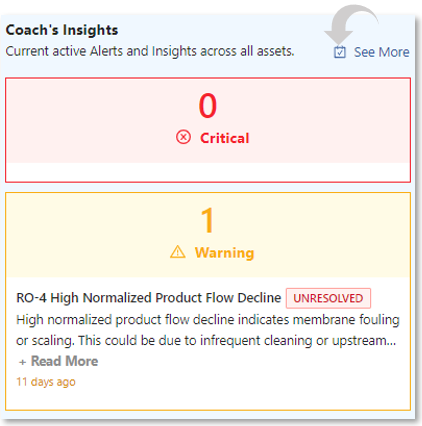
Coach's Insights
View information such as current active Critical & Warning Alerts and Insights across all assets. This provides you with an abbreviated overview of what's going on. To investigate further, click on "See More" to go directly to the Insights page where you have access to all of the tools for viewing and performing actions related to specific Alerts or Insights. See the Insights page for additional information on using Insights.
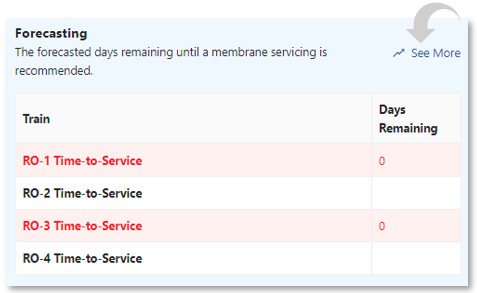
Forecasting
This section shows you at a glance the forecasting days remaining until a membrane service is recommended for your RO-Trains. Clicking on "See More" takes you directly to the Forecasting page where you can view details of your forecast. See the Forecasting page for additional information on using Forecasting.
RO Cleaning Performance
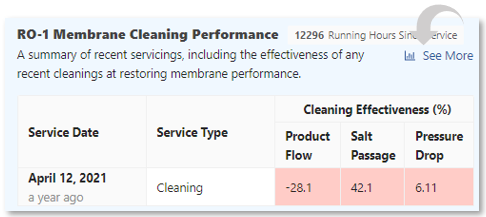
This section compares the last three cleanings or replacements of recently serviced Membranes. With color coded entries indicating effectiveness. Clicking on "See More" takes you directly to the Analytics page where you can perform higher level investigations into membrane cleaning performance. See the Analytics page for additional information on Membrane Performance.